How to Save Instagram Reels in Your Gallery With Music
Key takeaways
- Instagram's in-app Download can save a Reel without sound when it uses a licensed song from Instagram's music library.
- Downloading a public Reel by its link saves the MP4 with the same audio that plays on Instagram.
- On iPhone, Safari saves the file to Files → Downloads; use Share → Save Video to move it to the camera roll.
- Drafts and private Reels have no public link, so no link downloader can save them.
To save an Instagram Reel in your gallery with music, copy the Reel’s link, paste it into the Instagram Reels Downloader, and save the MP4. The file keeps the sound exactly as it plays on Instagram. The Download button inside the Instagram app is quicker, but it frequently saves a silent video, which is the reason most people end up searching for this.
Why Instagram saves Reels without music
Instagram has a built-in Download option for Reels from public accounts. It has three limits that matter here:
- Licensed songs can be removed. When a Reel uses a track from Instagram’s music library, the downloaded copy may have no audio at all. Instagram’s licences cover playing the song inside the app, not handing you a file with it.
- It adds a watermark. According to Instagram’s Help Center, downloaded Reels include an Instagram watermark, the creator’s username, and the audio attribution.
- The creator can switch it off. If you see no Download option, the account is private or the creator has disabled downloads.
The same thing happens to your own Reels. If you add a library song in the editor and then save the draft to your phone, Instagram warns you that the video will be saved without the music.
Save a Reel with music on Android
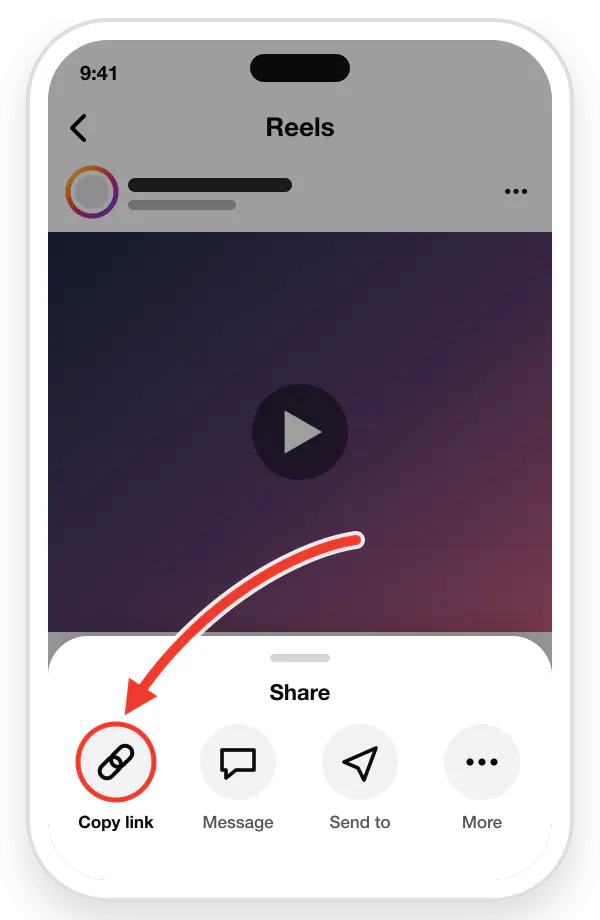
- Open Instagram and find the Reel. Tap the three dots (or the share arrow) and choose Copy link.
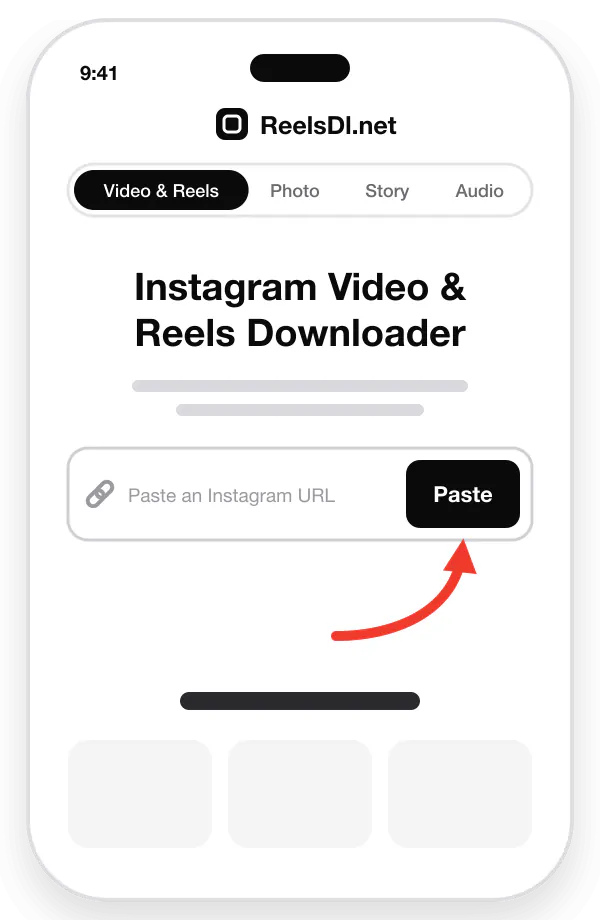
- Open Chrome and go to reelsdl.net.
- Tap Paste, or paste the link into the box yourself. The Reel loads on its own.
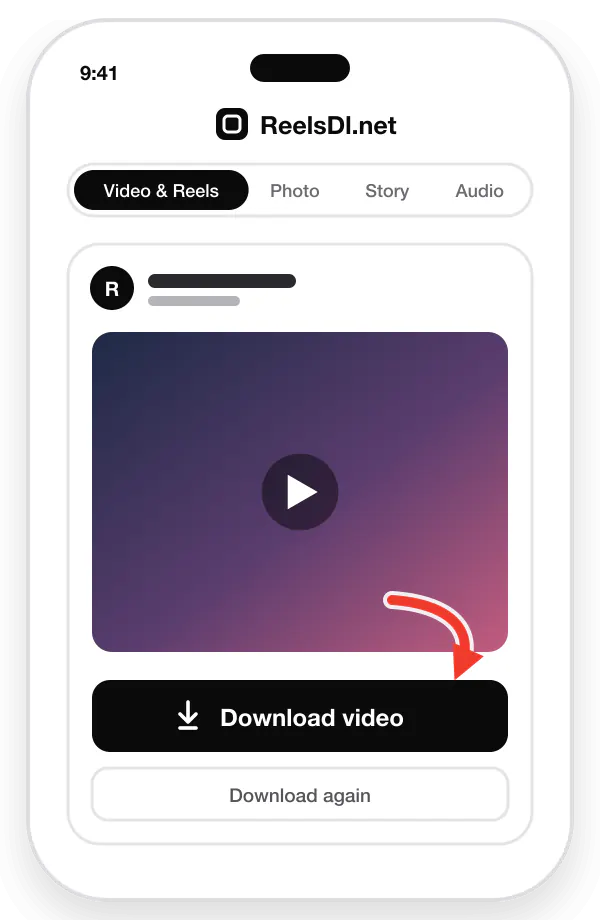
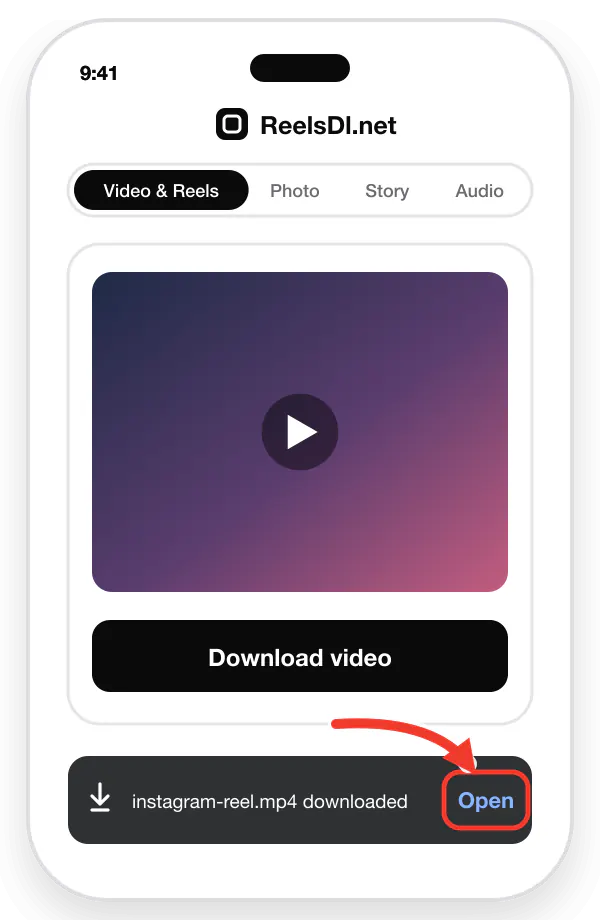
- When the preview appears, tap Download video.
Chrome saves the MP4 to your Download folder. Most gallery apps show that folder on their own:
- Google Photos: open Collections (or Library), then look under On this device for Download.
- Samsung Gallery: open Albums and look for Download.
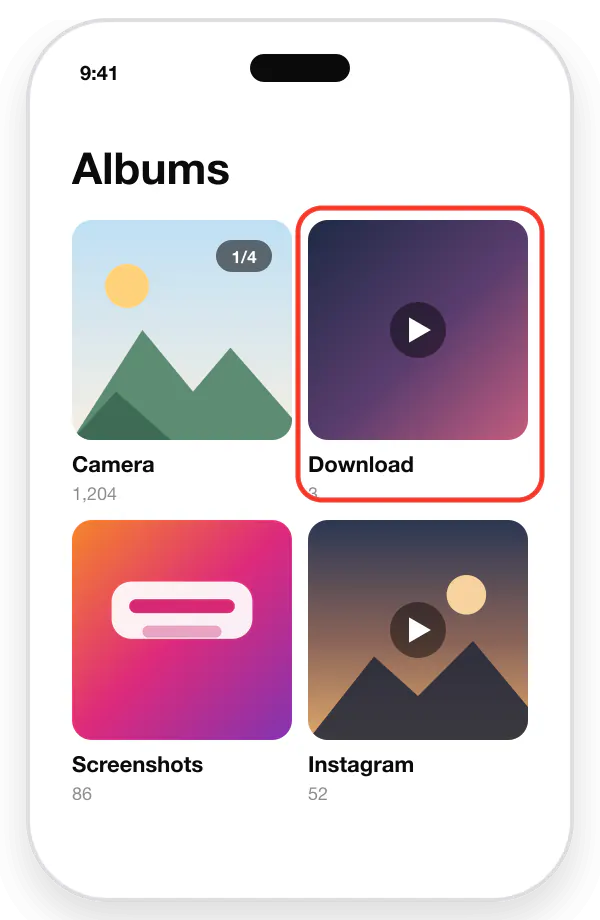
If the video does not show up, open the Files app, go to Downloads, and play it once. That usually makes the gallery pick it up.
Save a Reel with music on iPhone
- In Instagram, tap the share arrow on the Reel and choose Copy link.
- Open Safari and go to reelsdl.net.
- Tap Paste to load the Reel, then tap Download video.
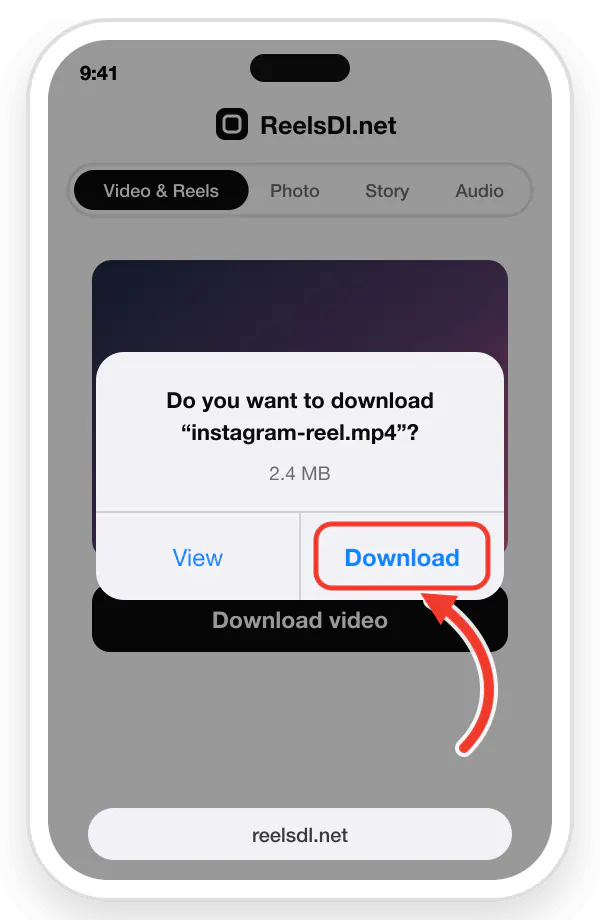
- Safari asks whether you want to download the file. Tap Download.
Here is the step that trips people up: on iPhone the video lands in the Files app, not in Photos. To move it to your camera roll:
- Tap the download arrow in Safari’s address bar and open the file (or open Files → Downloads).
- Tap the Share button.
- Tap Save Video.
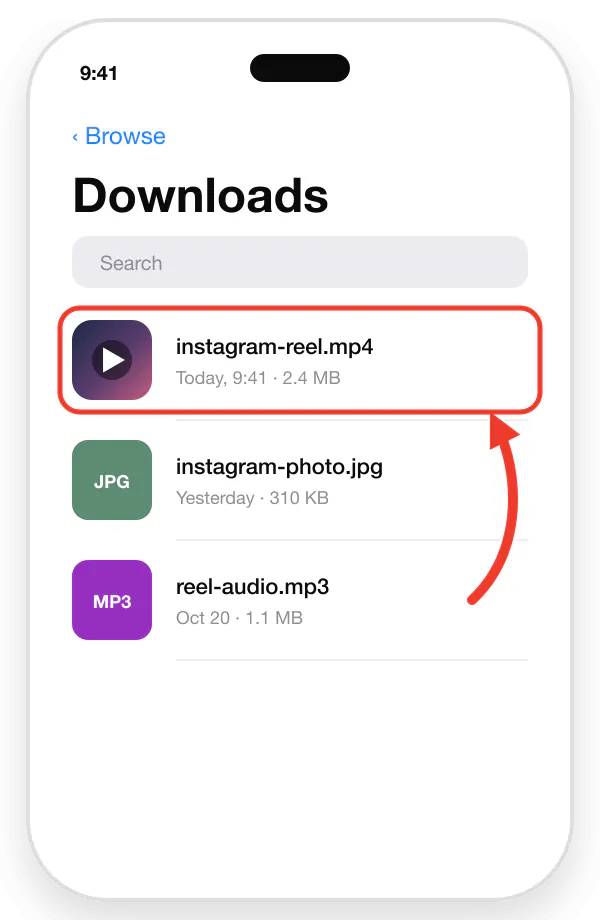
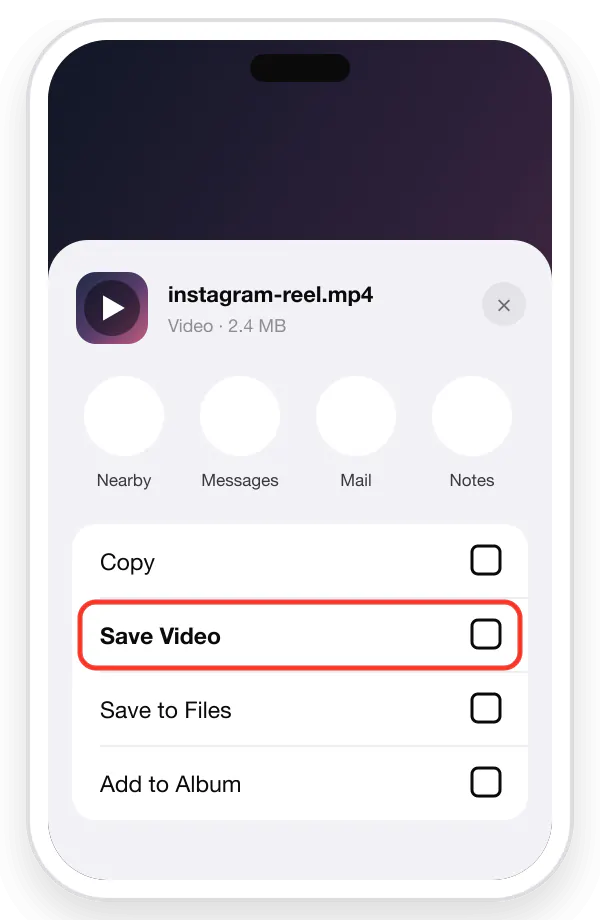
The Reel is now in Photos, in Recents, with its sound.
How to save your own Reel with music
Your own Reels are a different case, and it helps to know which situation you are in.
| Your Reel | What works |
|---|---|
| Published, account is public | Copy its link and download it like any other public Reel. The music stays. |
| Published, account is private | A link downloader cannot reach it. Use Instagram’s own save option, which may drop a licensed song. |
| Still a draft, not posted | No link exists yet, so no downloader can help. Instagram will save the draft without a library song. |
For drafts, the reliable fix is to stop depending on Instagram’s music library for the file you want to keep:
- Use original audio. Sound you recorded yourself, or a voice-over, is saved with the draft.
- Add the music before you upload. Edit the clip in a video editor with music you have the right to use, export it, and upload the finished video. You keep the master copy on your phone from the start.
- Post, then download. If the account is public, publish the Reel, copy its link, and save it with the music. You can archive or delete the Reel afterwards.
The Reel is saved but still has no sound
- Check the mute switch and volume. On iPhone the Photos app plays muted until you tap the speaker icon.
- Play it in another app. If the file is silent in Files or VLC too, the audio really is missing from the file.
- Check the original. If the Reel shows “This audio is no longer available” on Instagram, the sound has been removed at the source and no tool can bring it back.
- Download it again by link. A copy saved with Instagram’s Download button may be the silent one. A fresh download by link replaces it.
More fixes are in the guide to Instagram Reels not saving to the camera roll.
Only want the song?
If it is the music you are after and not the video, skip the gallery step. The Reel audio downloader turns the same link into an MP3. The full walkthrough, including how to use it as a ringtone, is in how to extract audio from an Instagram Reel.
A note on using saved Reels
Saving a public Reel to watch offline is one thing. Posting someone else’s Reel as your own is another. The video and the song both belong to other people, so ask the creator before you repost and credit them when you do. Instagram’s terms also say downloaded Reels are not to be used commercially.
Frequently asked questions
Why does my saved Instagram Reel have no sound?
Instagram's built-in download can leave out the audio when the Reel uses a licensed song from Instagram's music library. The video saves, but the track is removed. Downloading the public Reel by its link saves the video file as it plays on Instagram, with its sound.
Can I save Instagram Reels in my gallery without an app?
Yes. A browser-based downloader such as ReelsDl.net works in Chrome or Safari, so nothing needs to be installed. Copy the Reel link, paste it, and save the MP4.
Where does the Reel go after I download it on iPhone?
Safari saves it to the Downloads folder in the Files app. To move it to the camera roll, open the video in Files, tap Share, then tap Save Video.
Can I save a Reel from a private account?
No. Private Reels are only visible to approved followers and cannot be downloaded by link. Ask the creator to send you the original file.
Does the creator get notified when I save a Reel?
Instagram does not send a notification when someone downloads a Reel, either through the app's Download option or through a link downloader.