How to Download Instagram Stories Anonymously
Key takeaways
- Instagram's own Save option only works on your own Stories. Other people's Stories can be saved by link from a public account.
- A downloader that does not log in to Instagram does not add your name to the Story's viewer list.
- Stories expire after 24 hours. Only Stories the owner added to a Highlight remain available after that.
- Private accounts and Close Friends Stories cannot be downloaded by any legitimate tool.
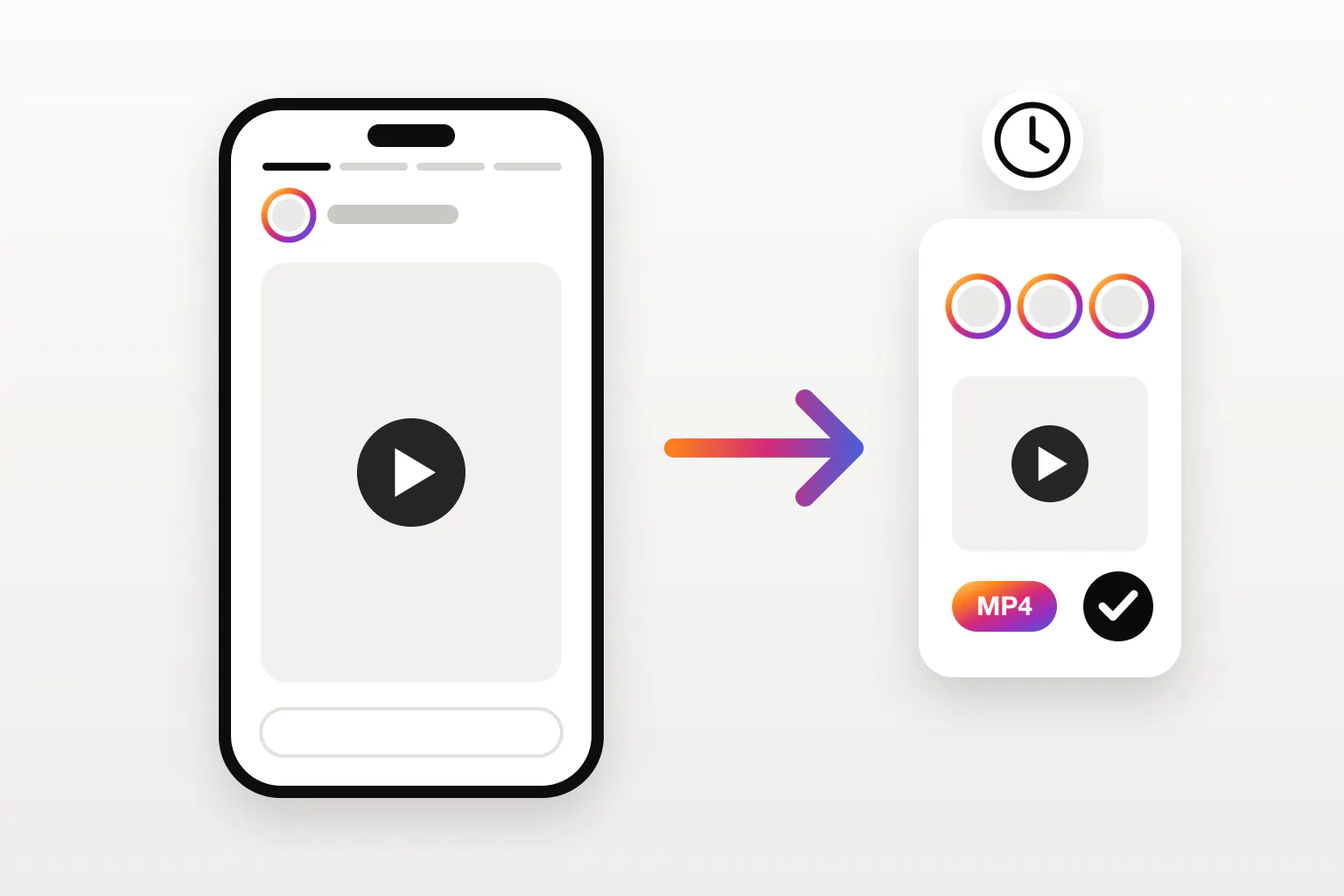
To save someone’s Instagram Story without showing up in their viewer list, copy the Story’s link, paste it into the Instagram Story downloader, and download the MP4 or JPG. The tool fetches the public Story without logging in to Instagram, so nothing ties the view to your account. It works for single Stories, everything an account has posted in the last 24 hours, and Highlights.
Why Instagram makes Stories hard to keep
Stories are designed to be temporary. They disappear from the profile 24 hours after they are posted, and the app only offers a Save option on your own. For anyone else’s Story you have three choices: screenshot it, screen record it, or download it by link.
| Method | Quality | Sound | Viewer list | Effort |
|---|---|---|---|---|
| Screenshot | Screen size, with interface | None | You appear | One frame at a time |
| Screen recording | Re-compressed, with interface | Yes, if not muted | You appear | Must watch in real time |
| Download by link | Original file | Yes | You do not appear | A few seconds |
Downloading by link is the only way to get the actual video or photo file, without the progress bars and reply box on top.
How the viewer list works
When you open a Story in the Instagram app, your account is recorded as a viewer, and the owner can see your name for as long as they can see the Story’s viewers. That record is made by your account, not by the Story file.
A web downloader like ReelsDl.net never asks for your Instagram login. It requests the public Story on its own, so there is no account of yours involved, and nothing is added to the list. Just remember: if you open the Story in the app first to copy its link, that view counts. To stay off the list, copy the link without opening the Story, as described below.
Download a Story on iPhone or Android
Copy a link without opening the Story
The cleanest way is to use the account’s profile link:
- In Instagram, go to the profile and tap the three dots at the top right.
- Tap Copy profile URL. You get a link like
instagram.com/username. - Change it to
instagram.com/stories/username/before pasting. That link lists every Story currently on the account.
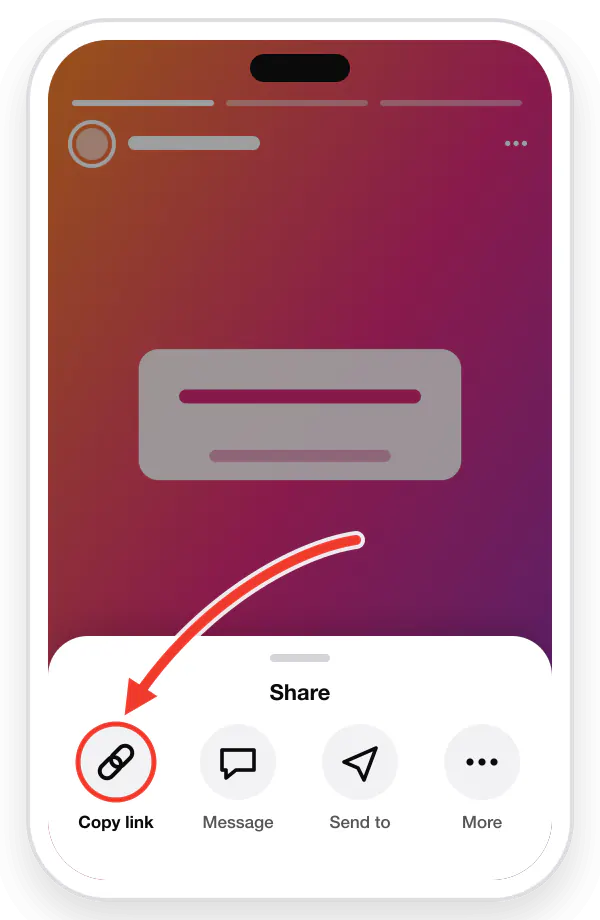
If you do not mind appearing as a viewer, open the Story, tap the three dots at the top right, and choose Copy link. That link points at one specific Story.
Save the file
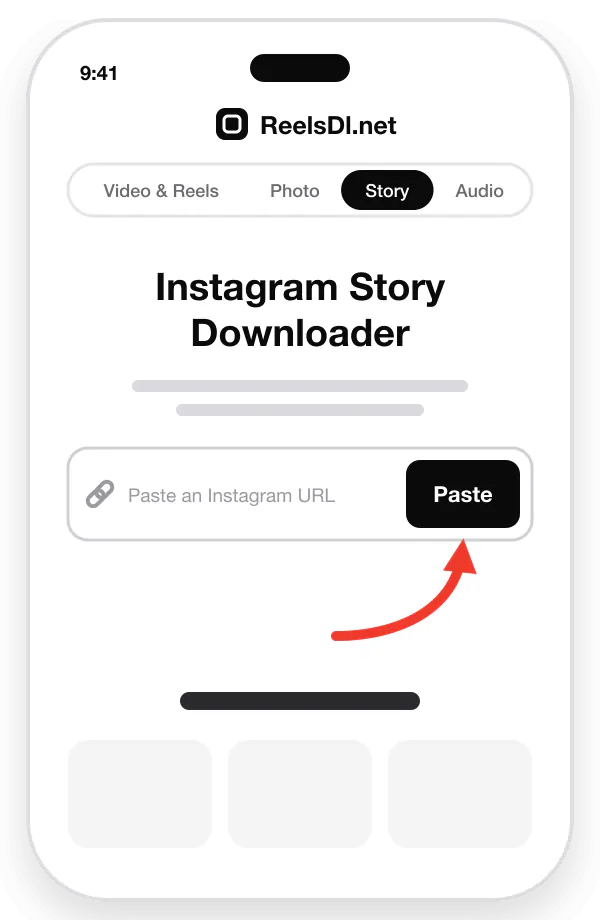
- Open reelsdl.net/stories in Safari or Chrome.
- Paste the link and press Enter.
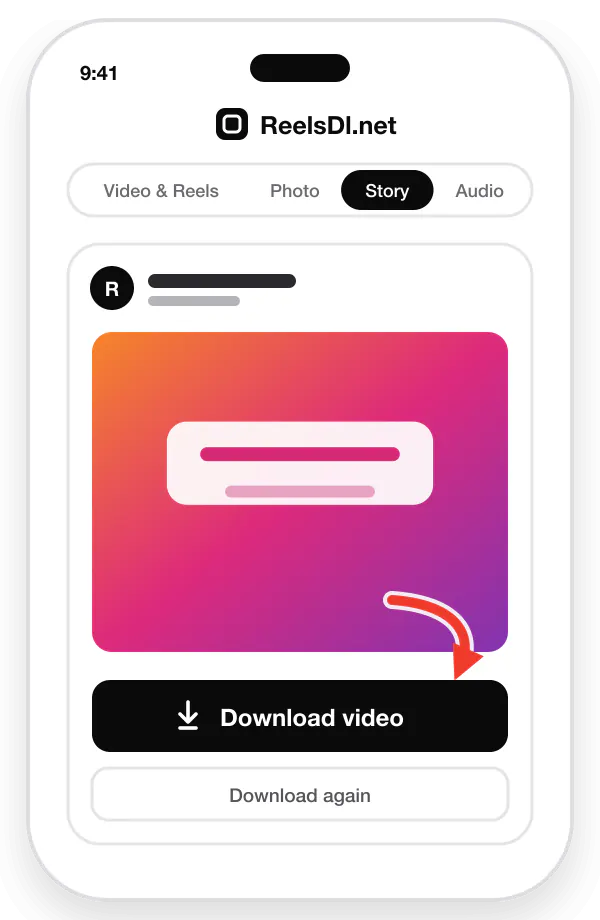
- Each Story appears with its own button. Tap Download to save video Stories as MP4 and photo Stories as JPG.
On iPhone, Safari saves files to Files → Downloads. Open the file, tap Share, and choose Save Video or Save Image to move it to Photos. On Android, files go to the Download folder and show up in Gallery or Google Photos.
Download Instagram Highlights
Highlights are Stories that the owner has pinned to their profile in named circles. They do not expire, so they are often the only place an old Story survives.
- Tap the Highlight on the profile.
- Tap the three dots and choose Copy link. The link looks like
instagram.com/stories/highlights/1789…/. - Paste it into the Story downloader.
Every item in the Highlight is listed in order, so you can keep the whole album or just one Story from it.
Download Stories on a computer
On instagram.com in a desktop browser, Stories open in a full-screen viewer, and the address bar shows the Story’s link. Copy it, paste it into reelsdl.net/stories, and click Download. The file goes to your Downloads folder. The same steps are illustrated for every device in the download guide.
What you cannot download
Being clear about the limits saves you time and protects your account:
- Private accounts. Their Stories are visible only to approved followers. No legitimate tool can see them without logging in as one.
- Close Friends Stories. These carry a green ring and are restricted to a list the owner picked.
- Expired Stories. After 24 hours, a Story that is not in a Highlight is gone from Instagram’s servers for everyone except the owner, who keeps it in their archive.
- Stories from blocked or restricted contexts, such as accounts that have limited who can see them by country or age.
Be wary of any “private Story viewer” that promises otherwise. These sites typically ask you to log in or complete “human verification” surveys, and neither will show you a private Story.
Saving your own Stories
If the Stories are yours, use Instagram itself:
- While it is live: open your Story, tap More (three dots), and choose Save.
- After it expires: go to your profile, open the menu, choose Archive, and switch to Stories archive. Instagram keeps your Stories there unless you turned archiving off.
- Everything at once: Accounts Center → Your information and permissions → Download your information exports all your Stories, posts, and Reels.
Be considerate
A public Story is still somebody’s work and, often, a glimpse of their personal life. Saving one to remember an event, a recipe, or a sale is normal. Reposting it, especially without credit, or keeping Stories of private individuals to share elsewhere, crosses a line. When in doubt, ask the owner.
For video posts and Reels, use the Instagram Reels downloader; to keep only the soundtrack, use the audio downloader.
Frequently asked questions
Can someone see if I download their Instagram Story?
Not when you use a downloader that does not sign in to Instagram. The owner sees who viewed a Story through each viewer's account. ReelsDl.net fetches public Stories without any account, so your name is not added to the list.
Does Instagram notify when you screenshot a Story?
No. Instagram does not notify anyone when a Story is screenshotted or screen recorded. Screenshot alerts only apply to disappearing photos and videos sent in direct messages.
How do I download an Instagram Highlight?
Open the Highlight on the profile, tap the three dots, choose Copy Link, and paste it into the ReelsDl.net Story downloader. Every Story in the Highlight is listed with its own Download button.
Can I download a Story after 24 hours?
Only if the owner saved it to a Highlight. Once a Story expires and is not in a Highlight, Instagram stops serving it and no tool can fetch it.
Can I download Stories from a private account?
No. Stories from private accounts are only visible to approved followers, and Close Friends Stories only to the owner's chosen list. Services that claim to bypass this usually ask for your login, which puts your account at risk.