Guide
How to Download From Instagram
Every ReelsDl.net tool works the same way: copy a public Instagram link, paste it, download the file. These are the exact steps for each device, and what to do when a download does not start.
Three steps on every device
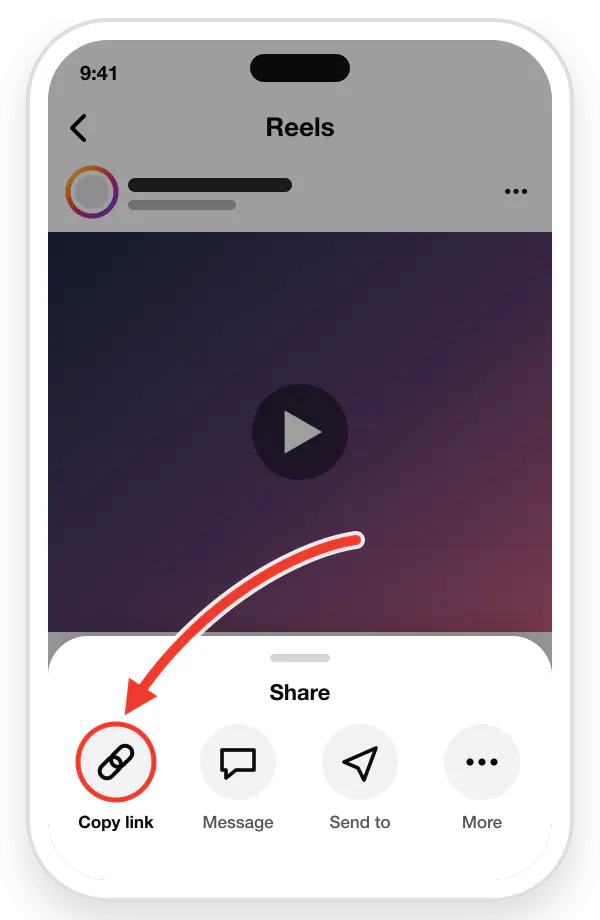
Copy the link
Open the video in Instagram, tap the Share arrow or the three dots (⋮), then tap "Copy link".
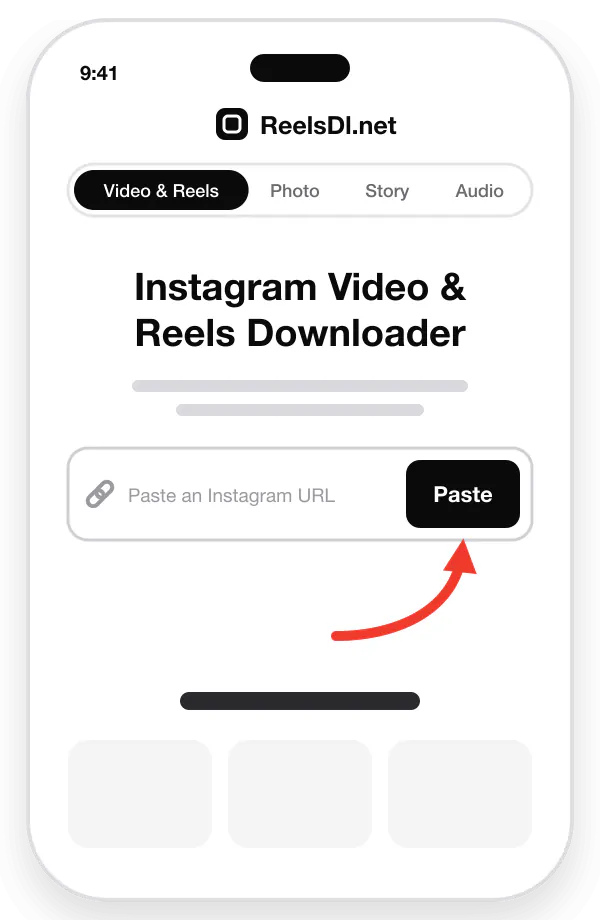
Paste the URL
Come back here and paste the link into the box above, or tap the Paste button.
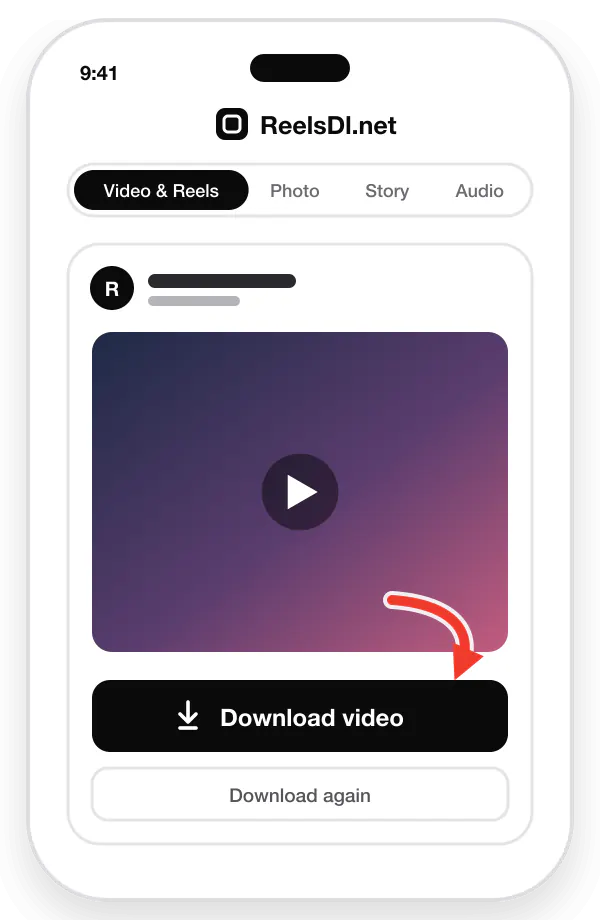
Download & save
Tap "Download video" to save the original-quality MP4, with sound, to your device.
How to download on iPhone and iPad
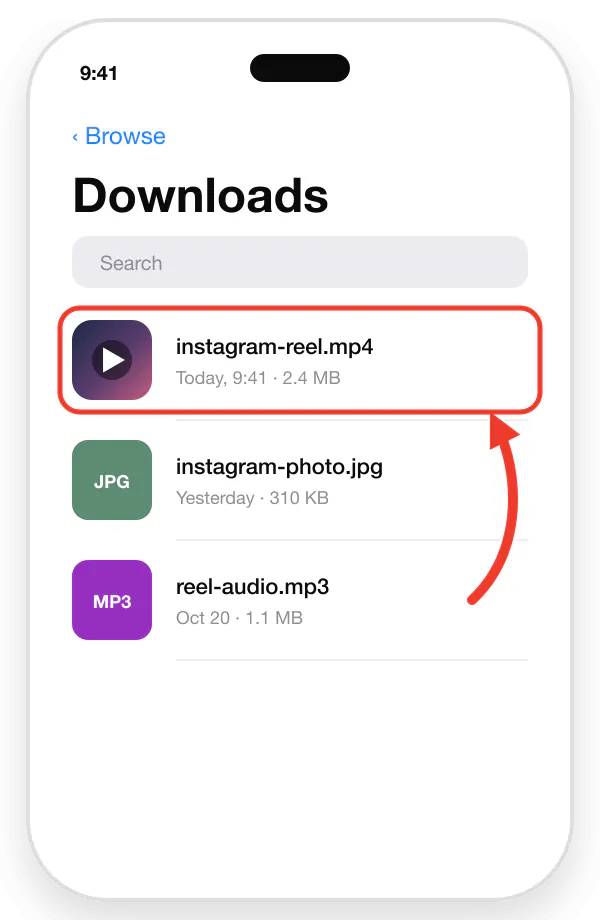
In Instagram, open the post, Reel, or Story and tap the three dots (⋯) or the Share arrow.
Tap Copy Link.
Open Safari and go to reelsdl.net. Use the tab for the format you want: Reels & Video, Photo, Story, or Audio.
Tap the input box, tap Paste, and wait a second for the preview.
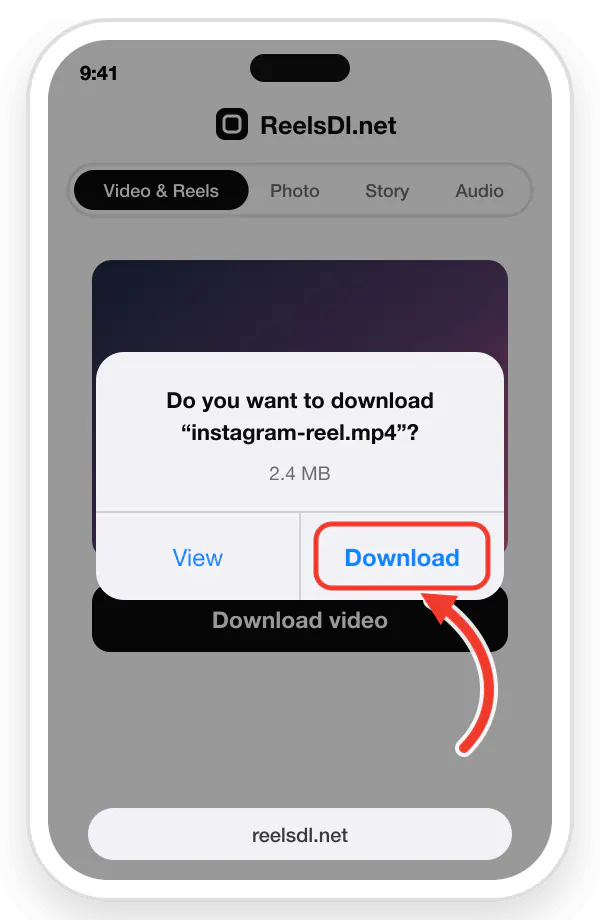
Tap Download, then Download again in the Safari pop-up.
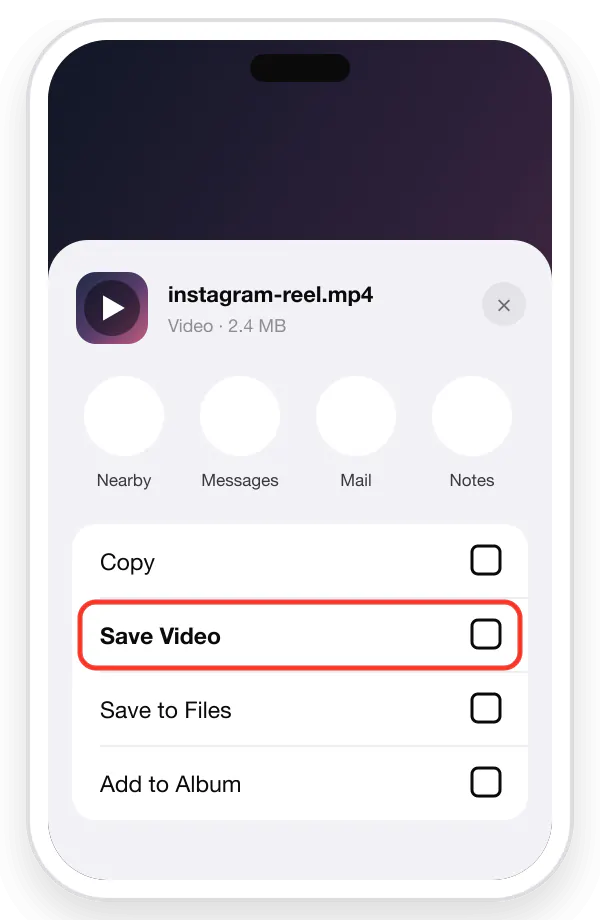
Open the Files app → Downloads. Tap the file, tap Share, and choose Save Video or Save Image to put it in Photos.
How to download on Android
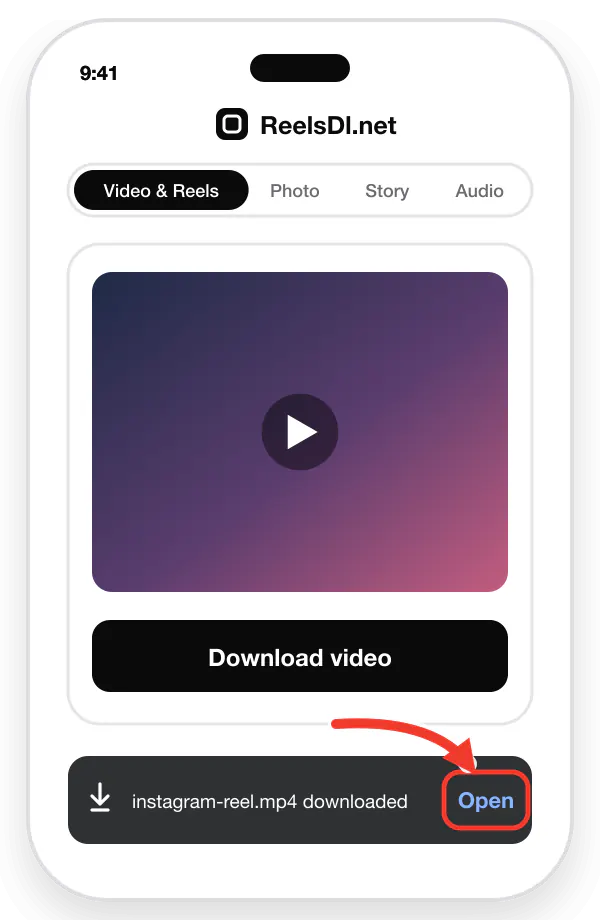
In Instagram, tap the three dots (⋮) or the Share arrow on the post, Reel, or Story.
Tap Copy Link.
Open Chrome, Samsung Internet, or any browser and go to reelsdl.net.
Paste the link into the box and press Enter.
Tap Download. The file is saved to the Download folder.
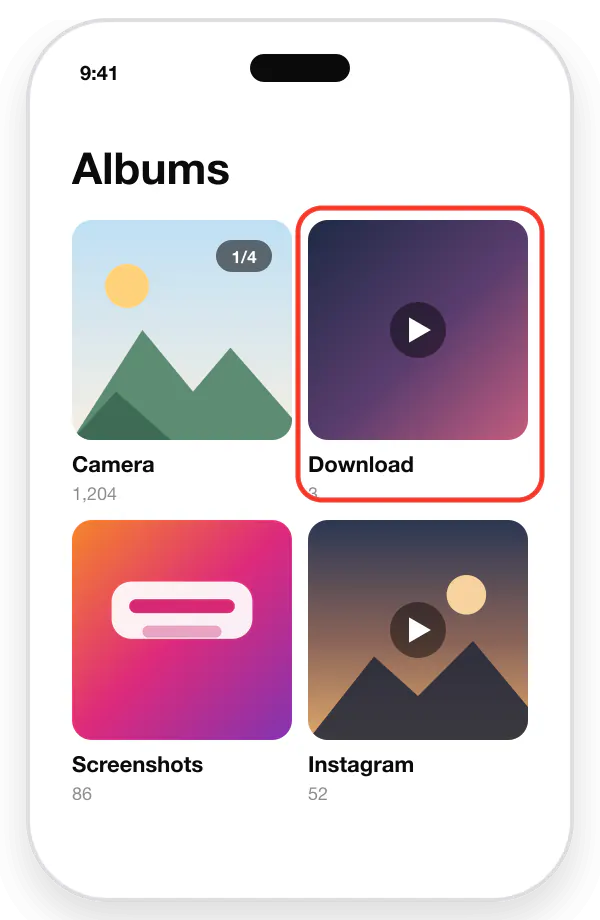
Videos and photos appear in Gallery or Google Photos within a few seconds; MP3 files open in any music player.
How to download on Windows, Mac, and Linux
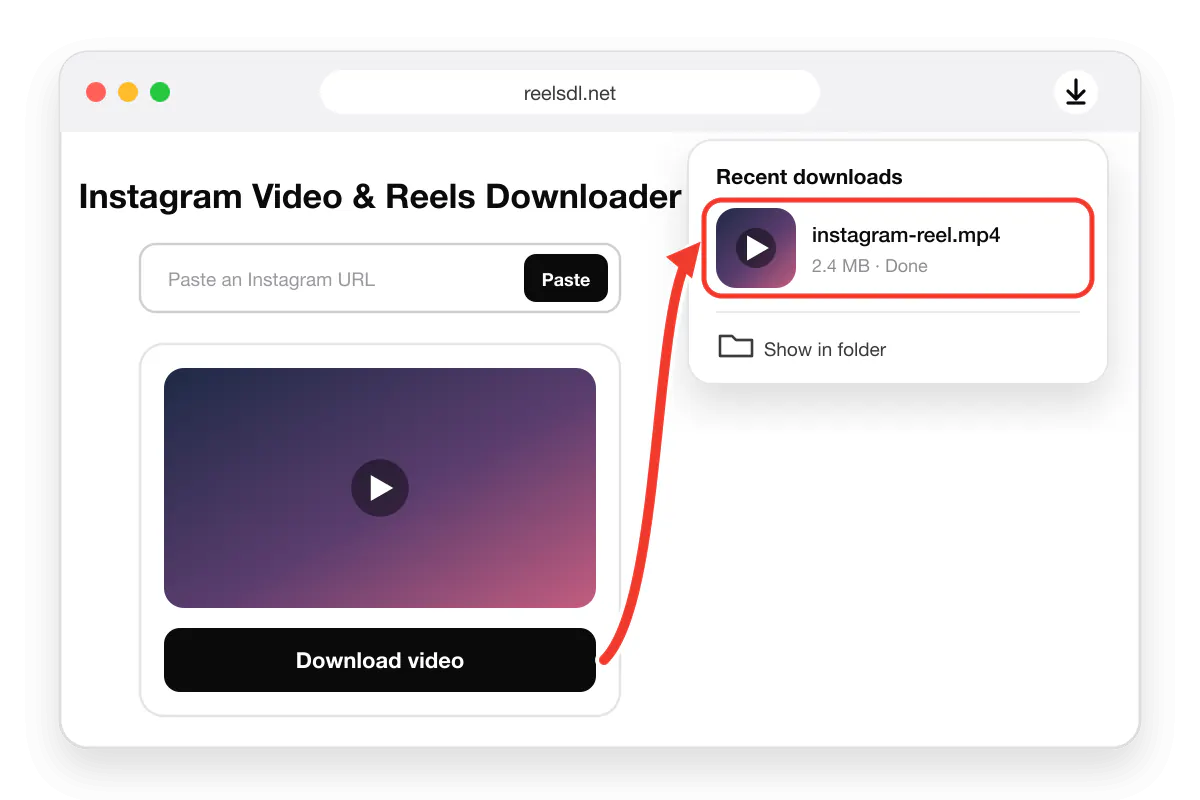
Open the post on instagram.com in Chrome, Edge, Safari, or Firefox.
Copy the address from the address bar, or click the three dots on the post and choose Copy link.
Open reelsdl.net in a new tab and pick the right tool.
Paste with Ctrl+V (Cmd+V on Mac) and press Enter.
Click Download. The file is saved to your Downloads folder.
Which tool to use
| Instagram Reels & Video Downloader | Save any public Instagram video or Reel as an HD MP4 with its original sound and music, and no watermark. |
|---|---|
| Instagram Photo & Carousel Downloader | Save full-resolution JPG photos instead of screenshots, and every slide of a carousel post from one link. |
| Instagram Story & Highlights Downloader | Keep public Stories before they expire after 24 hours, and save whole Highlight albums as video or photo. |
| Instagram Audio Downloader (MP3) | Convert a Reel or video to MP3, or paste an Instagram audio link to keep only the song, music, or voice. |
If a download does not work
| "We could not fetch that link" | The post is private, deleted, age-restricted, or the link is incomplete. Open the link in a private browser window: if Instagram asks you to log in to see it, it cannot be downloaded. |
|---|---|
| Video plays without sound | Check the silent switch and volume, then try VLC. Some Reels have music muted by Instagram for copyright reasons. |
| File is not in Photos or Gallery | On iPhone it is in Files → Downloads first. See Reels not saving to your camera roll. |
| Story not found | Stories expire after 24 hours. Only Stories saved to a Highlight remain available. |
Still stuck? Email [email protected] with the link and we will look into it.