A free Instagram downloader with no login
ReelsDl.net is an Instagram downloader that works like sssinstagram: copy a public link, paste it into the box above, and save the file. It is free, it runs in your browser, and it never asks for your Instagram account. It is also a separate, independent site, not a mirror or a new address for the one you searched for.
How to download Instagram videos (like SSSInstagram)
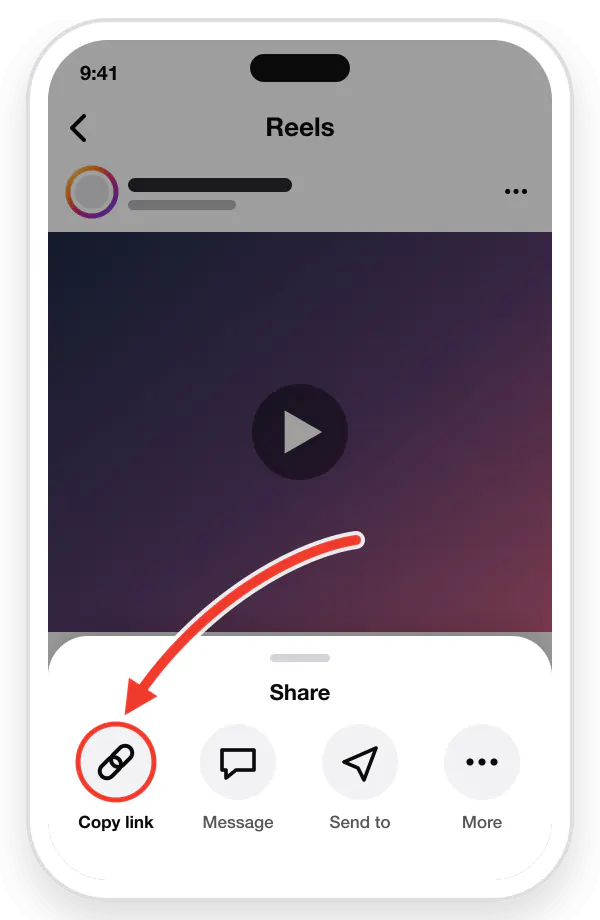
Copy the link
Open the video in Instagram, tap the Share arrow or the three dots (⋮), then tap "Copy link".
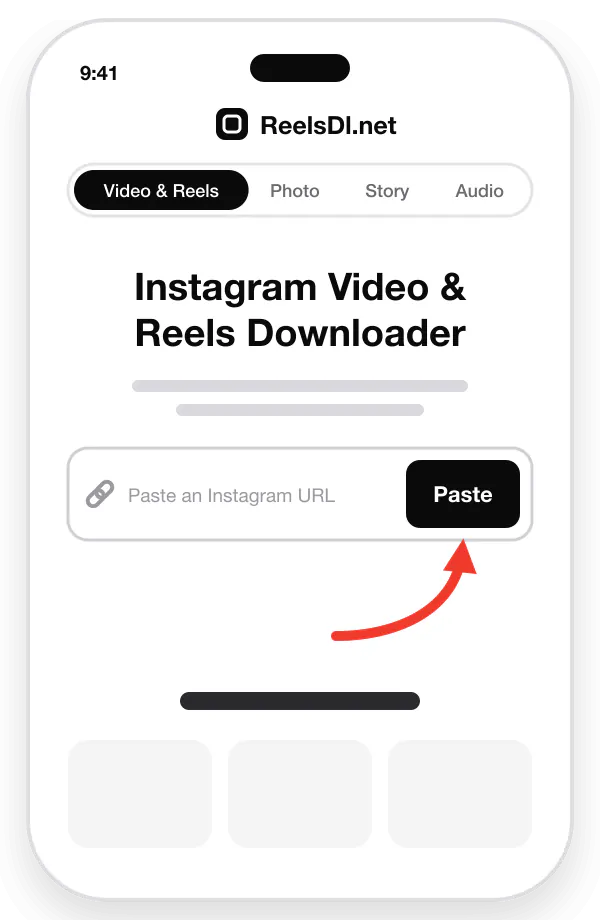
Paste the URL
Come back here and paste the link into the box above, or tap the Paste button.
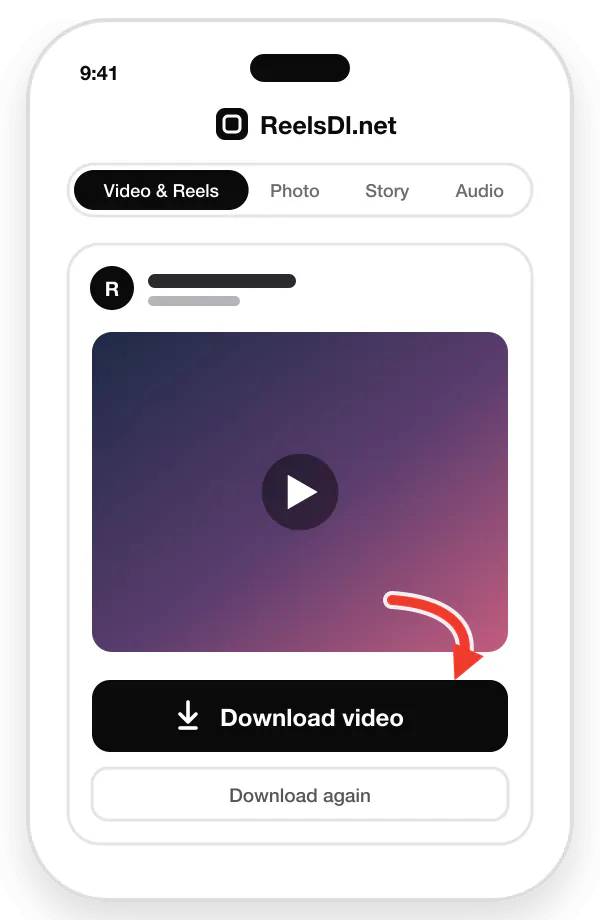
Download & save
Tap "Download video" to save the original-quality MP4, with sound, to your device.
What is SSSInstagram?
It is a popular third-party website that, according to its own pages, saves videos, photos, Reels, and Stories from public Instagram profiles when you paste a link, with no account needed. People look for other options with any downloader for everyday reasons, such as a site being down or blocked on their network, pages loading slowly, or wanting fewer ads. Those are general reasons, not a claim about how any one site is running today.
Why try ReelsDl.net if you searched for SSSInstagram
Reels and videos as MP4
Save public Reels, video posts, and older IGTV videos with their original sound.
Photos and whole carousels
Save photos as JPG. One carousel link lists every slide with its own download button.
Reel audio as MP3
Keep only the song or voice. The MP3 is made in your browser on the Audio page.
No Instagram login
You never enter a username or password. A public link is all the tool needs.
No watermark added
Nothing is stamped on the file. You get the copy Instagram serves, not a screen recording.
Nothing to install
It works in the browser on Android, iPhone, and computers. A home-screen web app is optional.
ReelsDl.net vs. typical downloaders
A ✓ marks what ReelsDl.net does today. "Varies" means it depends on the site, so check that site's own pages before relying on a feature.
| Feature | Typical downloaders | ReelsDl.net |
|---|---|---|
| Reels and videos saved as MP4 | Varies | ✓ |
| Photos saved as JPG | Varies | ✓ |
| Every carousel slide from one link | Varies | ✓ |
| Reel audio saved as MP3 | Varies | ✓ |
| No Instagram login | Varies | ✓ |
| No app or extension to install | Varies | ✓ |
| No watermark added | Varies | ✓ |
| Free, with no sign-up | Varies | ✓ |
What you can download
Every tool takes a public Instagram link and works in the browser on iPhone, Android, Windows, and Mac. Pick the one for the format you want.
Instagram Reels
Vertical Reels as MP4, with their music and sound.
Instagram videos
Feed videos, video slides in carousels, and older IGTV posts as MP4.
Instagram photos
Single photos as JPG, in the largest size Instagram serves.
Instagram carousels
One link lists every slide, so you can save one or all of them.
Reel audio
Convert a Reel or video to MP3, or paste an Instagram audio link.
Reel thumbnails
Paste a Reel or video link on the Photo page to save its cover as a JPG.
Stories, Highlights, and profile pictures are not available right now. Only public posts are supported: private and deleted content stays protected by Instagram.
Spelled it a different way?
Searching for sss instagram, ssinstagram, sssinsta, or an sss ig downloader? People type the name in many ways, and most of them want the same thing: a quick way to save an Instagram video or photo from its link. ReelsDl.net does that job under its own name and is not connected to any site using those spellings. If your link is public, paste it into the box at the top of this page and see whether it gives you what you need.
How to save Instagram videos on Android, iPhone, and PC
Android
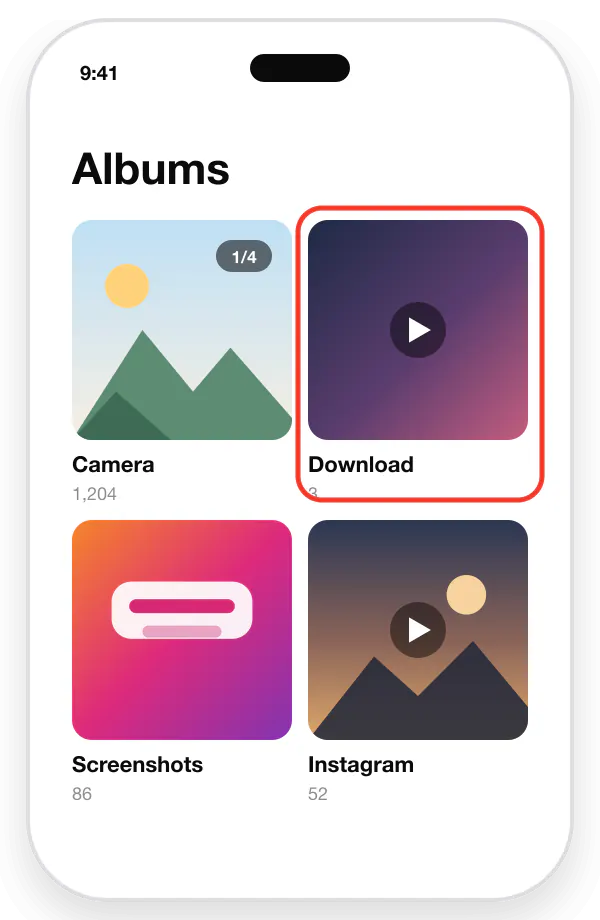
Copy the link in the Instagram app, open Chrome or Samsung Internet, and paste it into the box above. Tap Download video. The MP4 goes to your Download folder and appears in Gallery or Google Photos a few seconds later.
iPhone
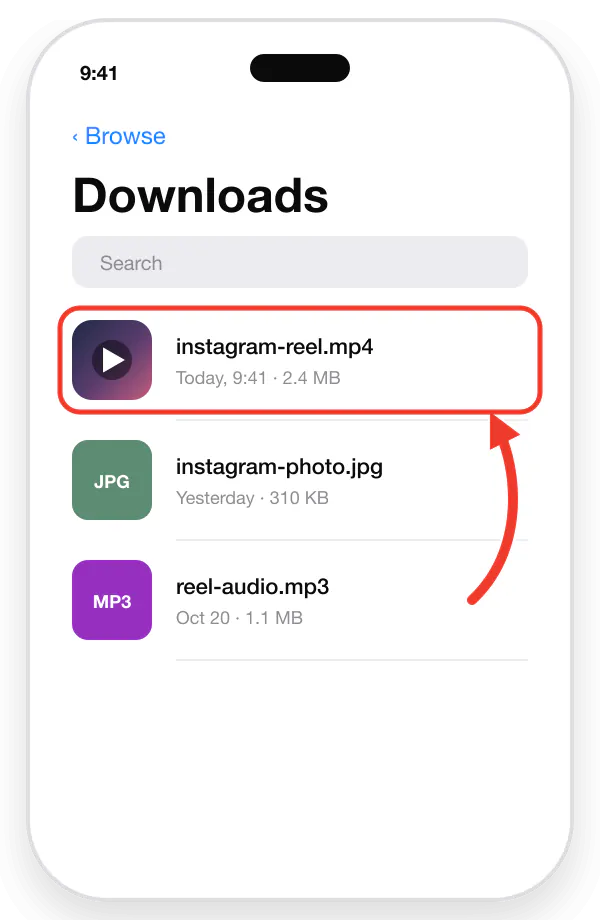
Open Safari and paste the link into the box above. Tap Download video, then Download in the pop-up. Safari saves the file in the Files app under Downloads. To move it to Photos, open it, tap Share, and choose Save Video.
PC or Mac
Copy the post address from instagram.com and paste it into the box above with Ctrl+V, or Cmd+V on a Mac. Click Download video. The MP4 lands in your browser's Downloads folder.
Frequently asked questions
Is this the official SSSInstagram site?
No. ReelsDl.net is an independent site with its own name and its own tool. It is not run by, connected to, or endorsed by the site you searched for, and it is not affiliated with Instagram or Meta.
Is SSSInstagram down or not working? What can I use instead?
We do not run that site, so we cannot tell you its status. If it will not load, try another browser or network, or check it with a website status tool. If you want another option for a public post, paste the link into the box at the top of this page.
Is ReelsDl.net free, and do I need to log in?
It is free, with no sign-up and no paid plan. You do not need to log in either: ReelsDl.net never asks for your Instagram username or password.
Can I download videos from a private account?
No. A private account shares its posts only with followers the owner has approved, so those posts are not public and this tool does not download them. Never give a downloader your Instagram password to get around that.
Where are downloaded files saved on Android and iPhone?
On Android, files go to the Download folder and then appear in Gallery or Google Photos. On iPhone, Safari saves them in the Files app under Downloads. To move a video to Photos, open it, tap Share, and choose Save Video.
Is downloading Instagram videos legal?
It depends on your country and on what you do with the file. Saving a public video for personal, offline viewing is generally treated differently from reposting it, and reposting or commercial use needs the owner's permission. Respect copyright, and download only content you own or have permission to use.
Does it add a watermark, and can I download in HD?
ReelsDl.net adds no watermark. It saves the largest MP4 Instagram serves to logged-out visitors for that post, which is often 720p HD rather than 1080p. The file is not re-encoded or upscaled.
Can I download Stories or Highlights here?
Not right now. Story and Highlight downloads are switched off while we work on them. Reels, videos, photos, carousels, and Reel audio work today.
Why does my Instagram link not work?
The post may be private, deleted, age-restricted, or hidden from logged-out visitors, or the link may be incomplete. Open it in a private browser window: if Instagram asks you to log in first, it may not be available here.
Disclaimer
ReelsDl.net is not affiliated with SSSInstagram or Instagram/Meta. Download only content you own or have permission to use.